The Xyloband is the wristband that Coldplay gives to the audience to create a colorful light show during its concerts.

Fotografía de Carlos RM
(CC) 2012.
The wristband receives data from a central transmitter. The new version of the band is not only able to light the LEDs but can also receive audio and play it through a built-in speaker.
Contents
Procedure
First, we will disassemble the device and list the different components that we find on the PCB. Then we will try to investigate them by looking for datasheets and all the available information to reconstruct the behavior of the circuit. Finally, we can recover the blueprint of the tracks on the PCB and analyze the complete system.
Disassembly
So I took the Dave Jones approach: “Don’t turn it on, take it apart!” First, I opened the wristband and extracted the PCB with the LED band.
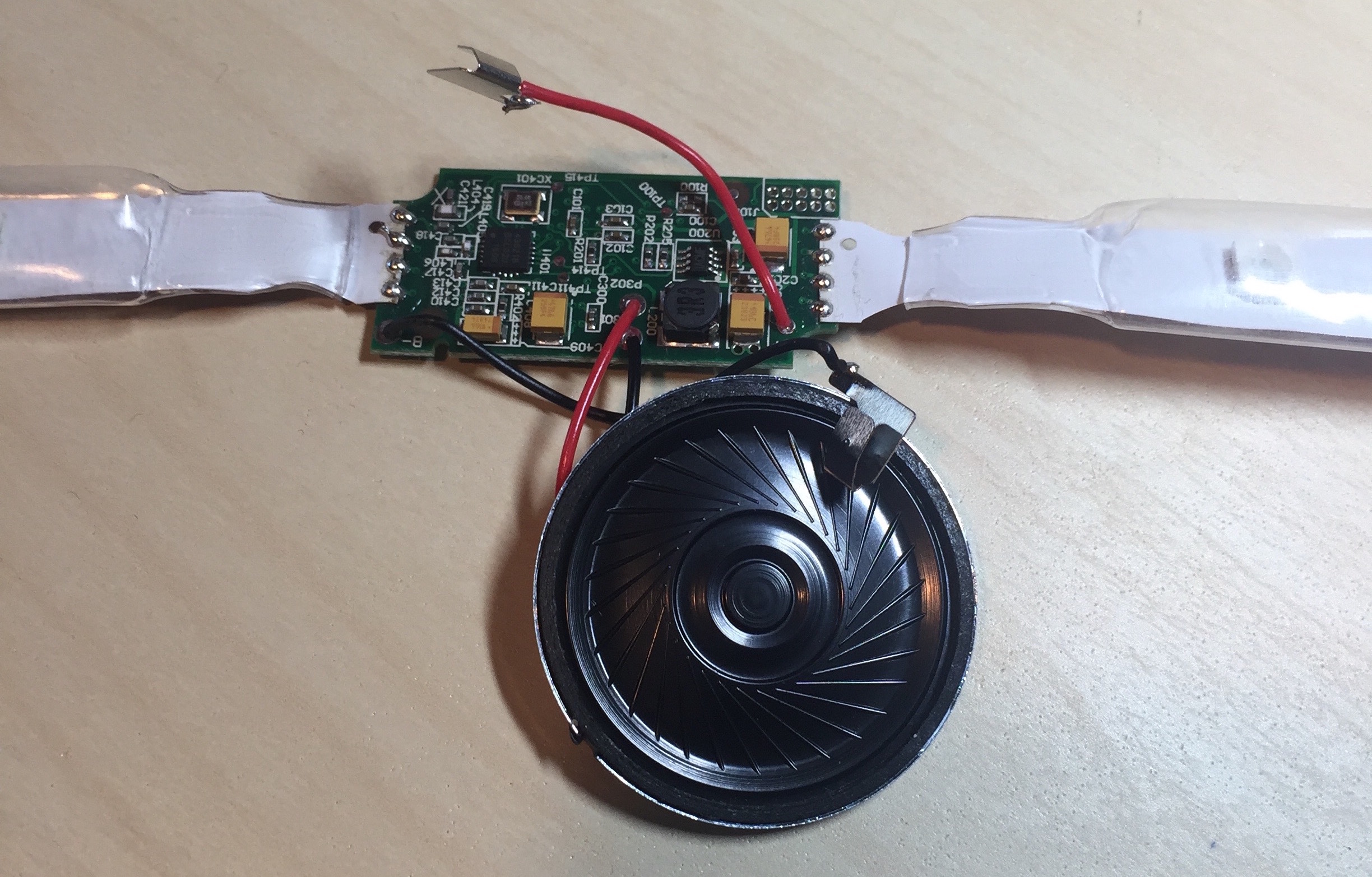
Xyloband internals: speaker, LED/antenna flat-flex and PCB.
These are the internal parts of the Xyloband. We can see the speaker, the flat-flex with the LEDs and the main PCB. From this view, we can infer that the flat-flex will probably not only power the color LEDs but also act as an antenna to receive the signal.
PCB Inspection
To get a good view of the PCB layers, I took two photos from each side, one front-lit and another back-lit. After that, we can create a composite image for each side to determine whether there are internal layers. And indeed, there are.
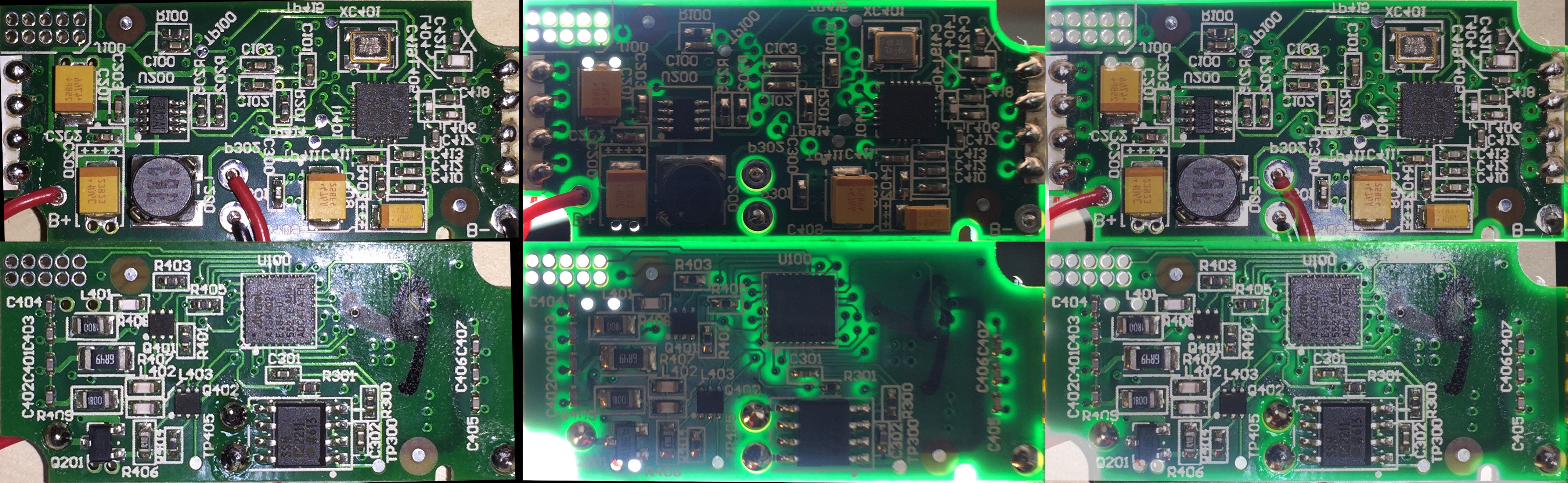
Both sides of the PCB, front-lit, back-lit and composite.
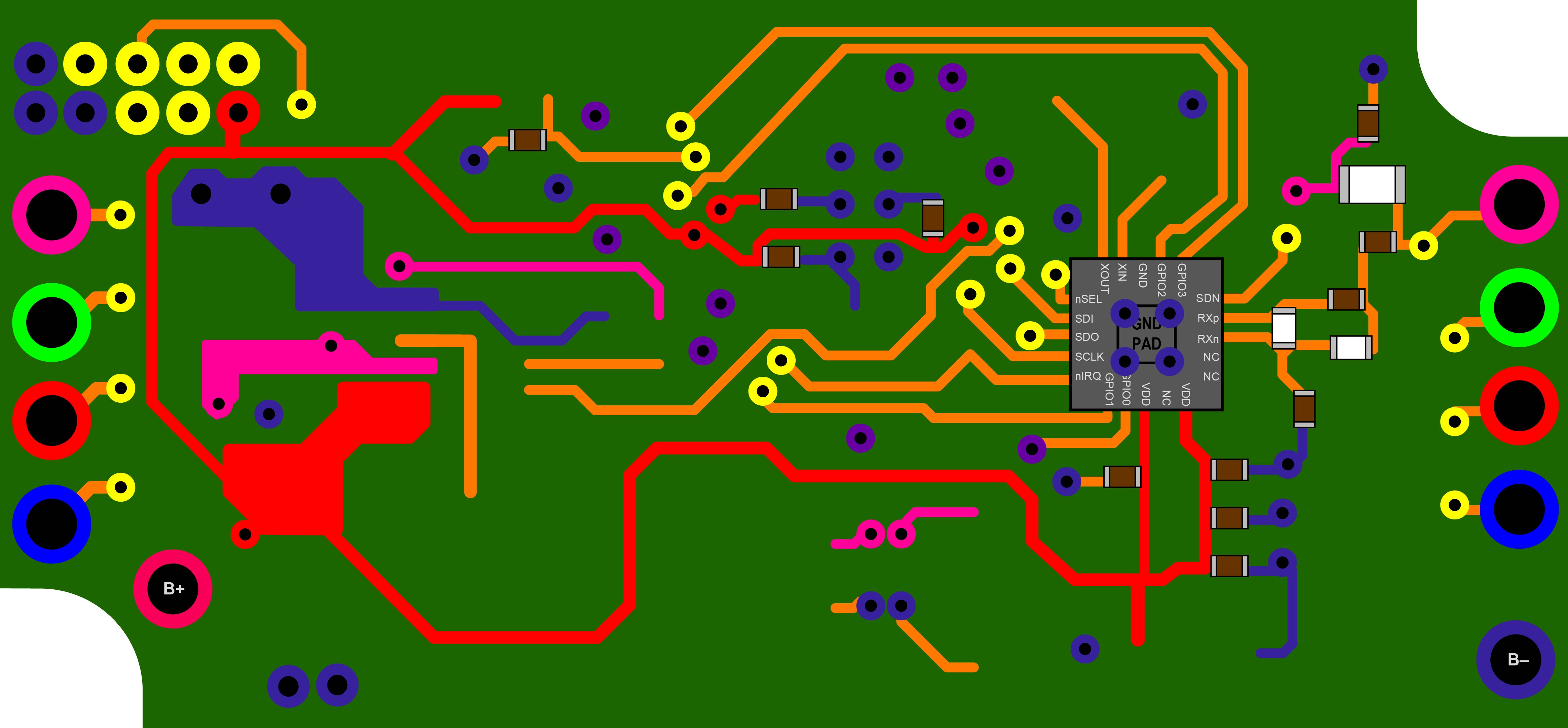
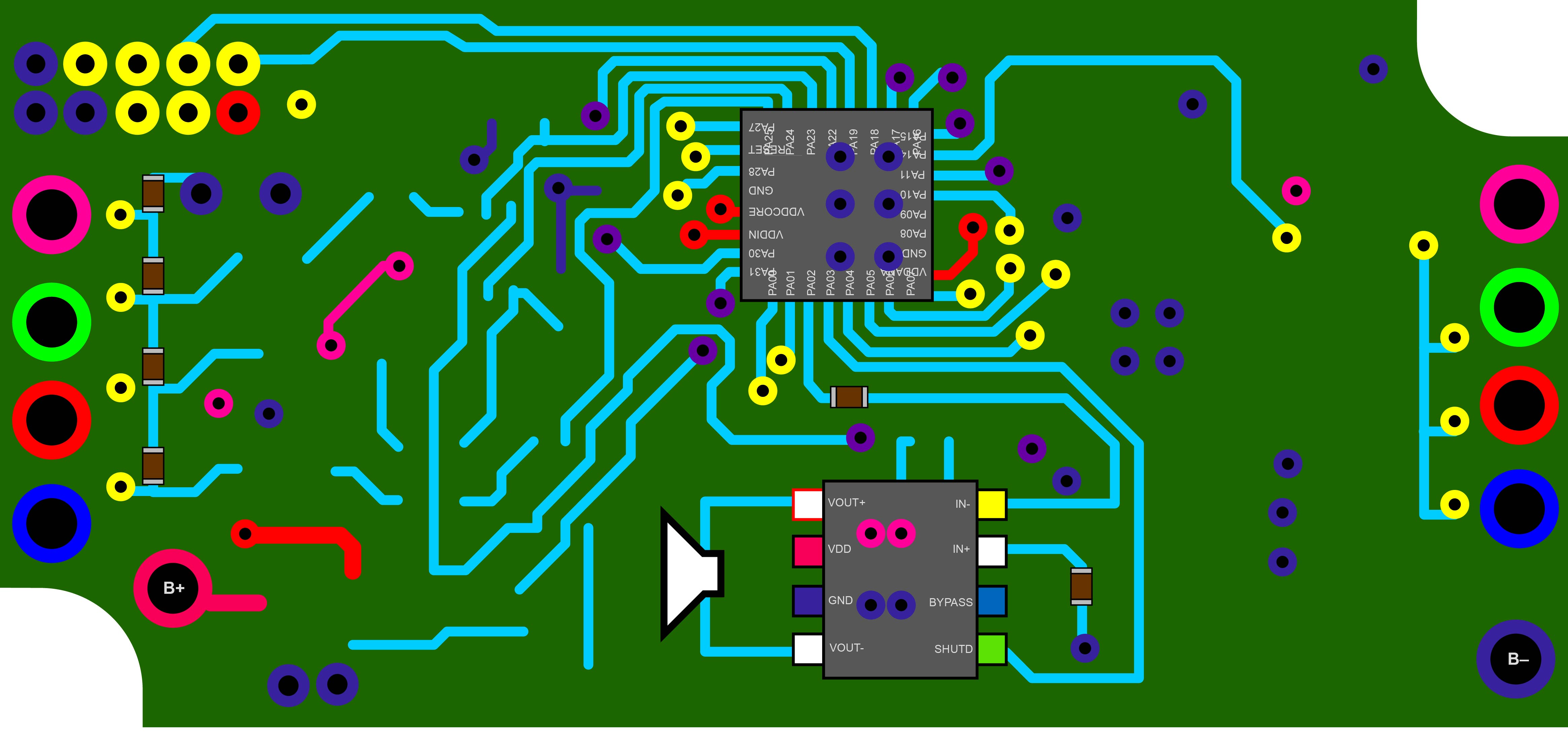
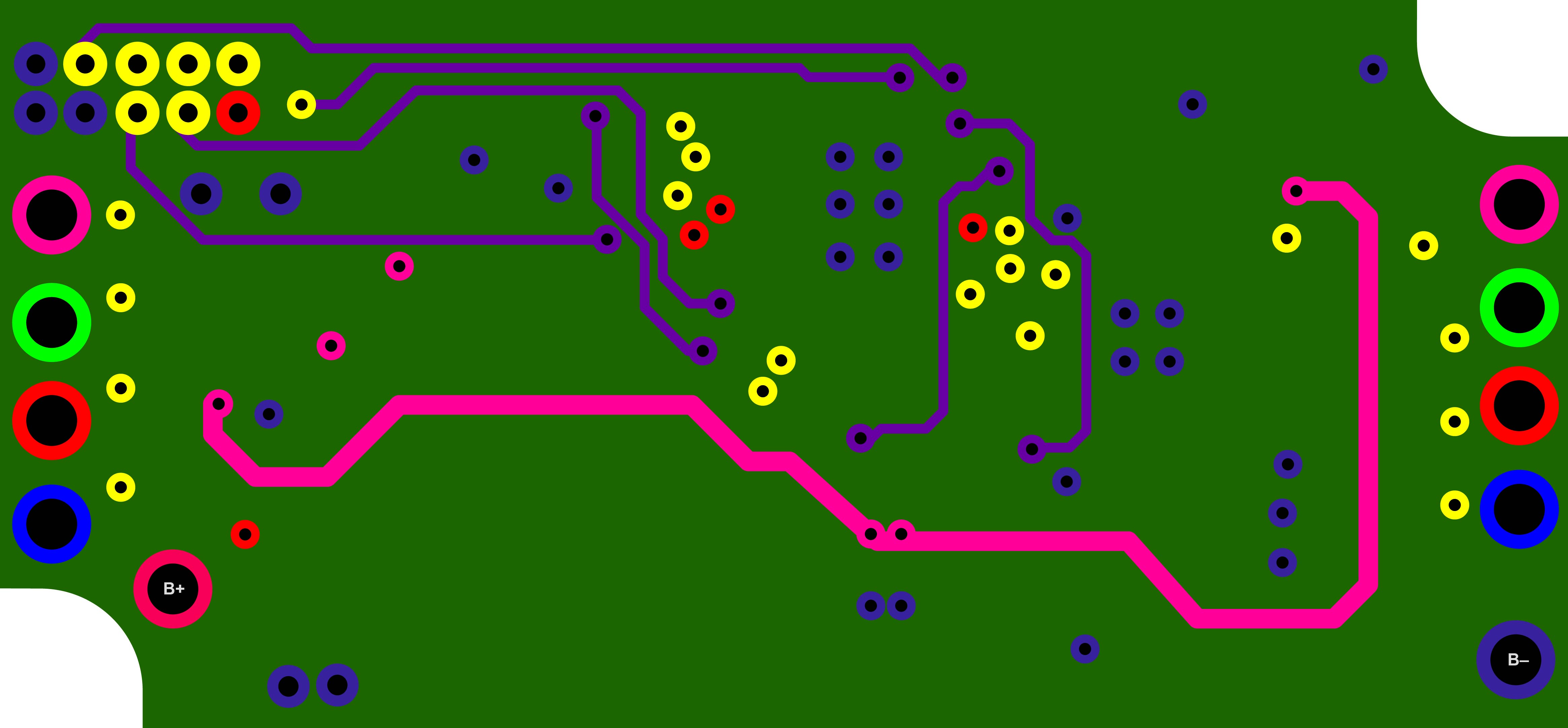
The PCB has 4 layers, two external and two internal. In parentheses is the color used later in the PCB track blueprint:
- Front side (Orange)
- Back side (Cyan)
- Internal ground layer (Navy Blue)
- Internal track layer (Purple)
Now we will analyze each layer in detail.
Front
So here is the first composite image of the front side with its main areas, power and data reception, demodulation and decoding (RX):
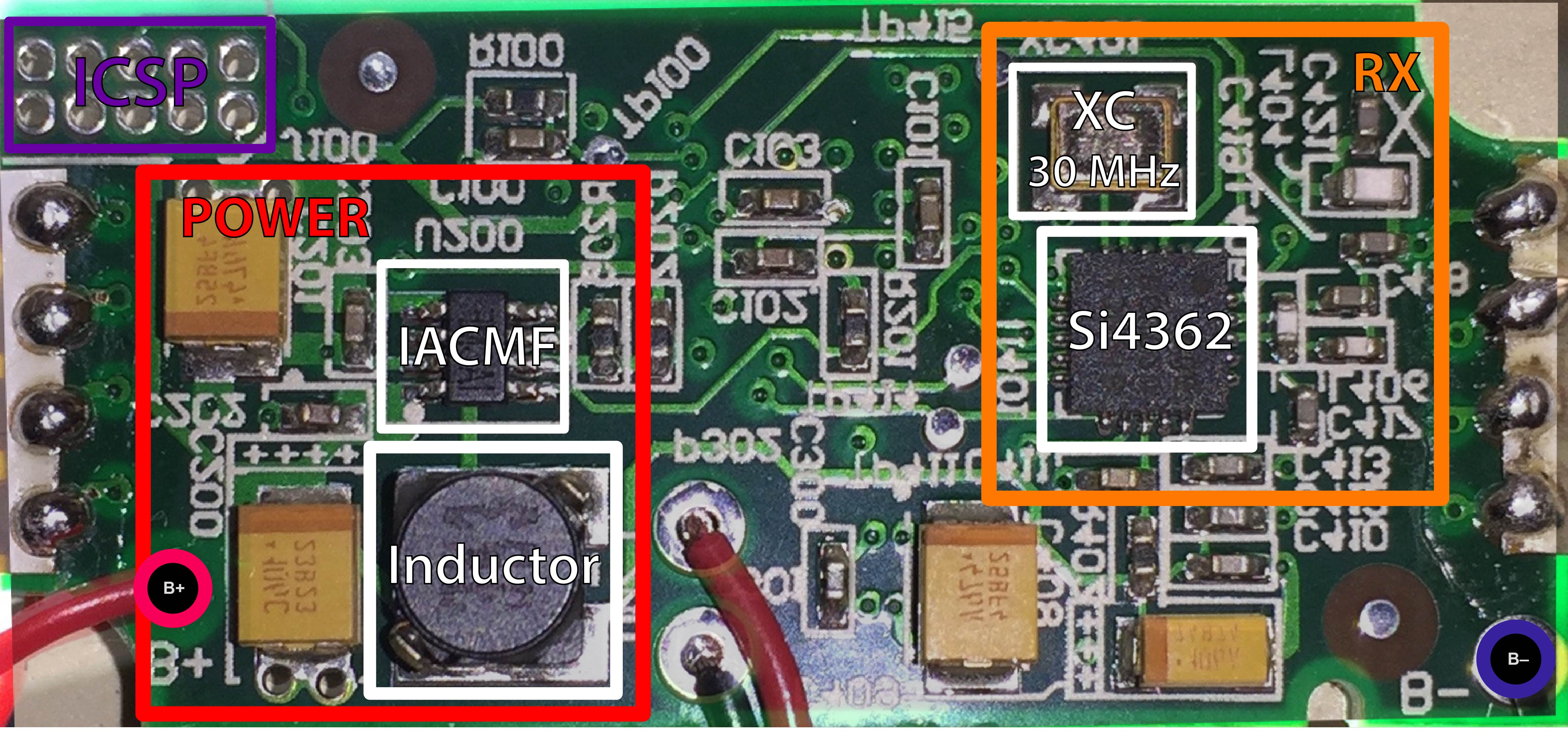
Composite image of the front of the Xyloband PCB. Horizontally flipped image to match the back layer.
In the front of the Xyloband PCB we can find these devices:
- Silicon Labs Si4362 High-Performance, Low-Current Receiver
- 30 MHz Crystal Oscillator
- IC IACMF Voltage Regulator
- 3 mH Inductor
The Si4362 IC is the main component of the RX area. This chip will receive the transmission from the antenna (we can see it is connected to the uppermost pin of the flat-flex), amplify it using a low-noise amplifier and demodulate it. Then, the final digital signal will be sent to the microcontroller on the other side of the board through an I²C connection.
The power section of the front side is mainly a voltage controller that generates the suitable voltage to drive the LEDs and the audio amplifier.
Back
On the back, the main areas are the logic microcontroller, the audio amplifier, the LED drivers and a part of the power section that enables the connection of the battery to the voltage regulator on the other side.
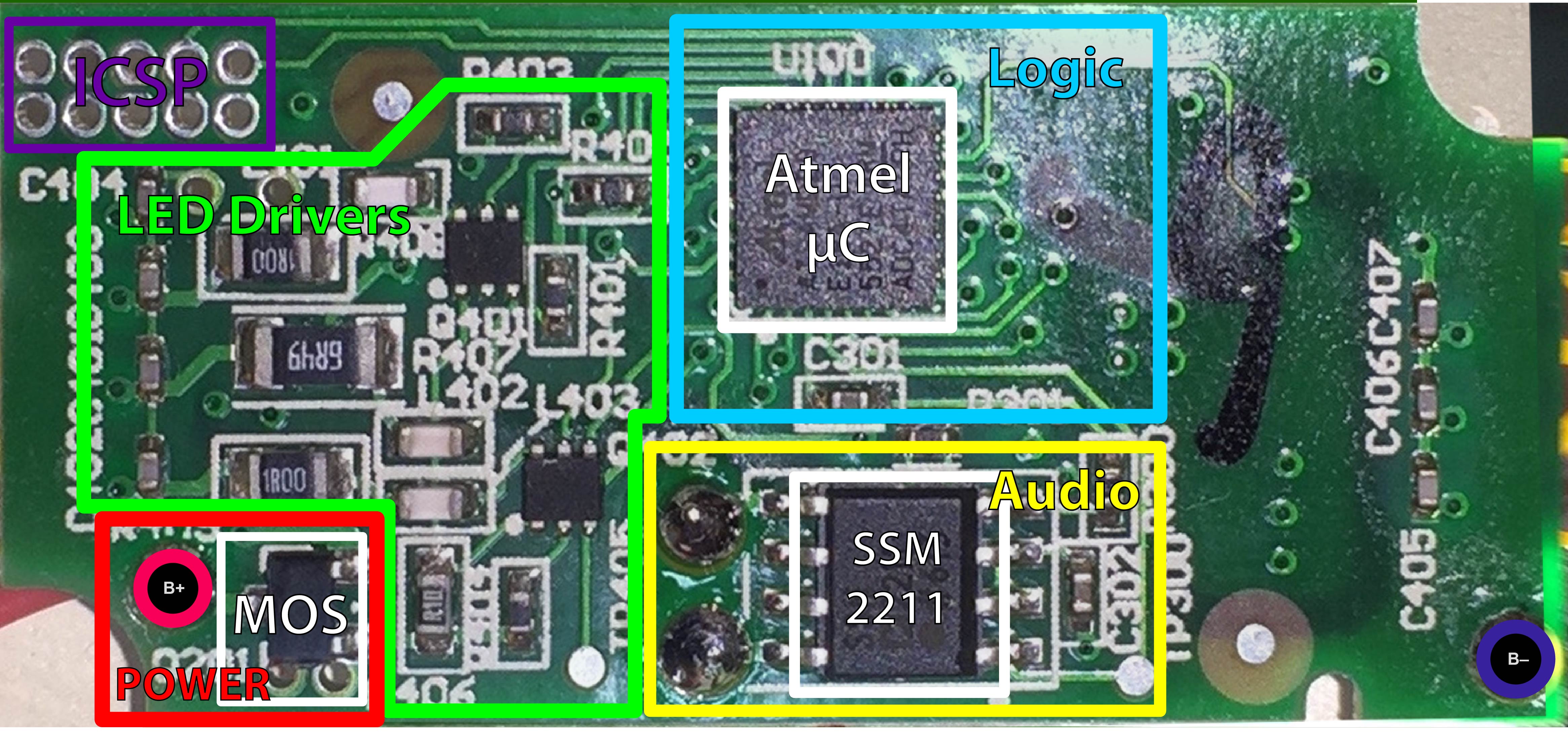
Composite image of the back of the Xyloband PCB.
On the back, we can see the following ICs:
The ARM processor is connected to the Si4362 receiver through I2C and decodes the information, namely the audio and LED colors. Then, it will light the LEDs through the driver and output the audio signal with its DAC.
The audio signal goes to the SSM2211 audio amplifier, which is connected to the speaker.
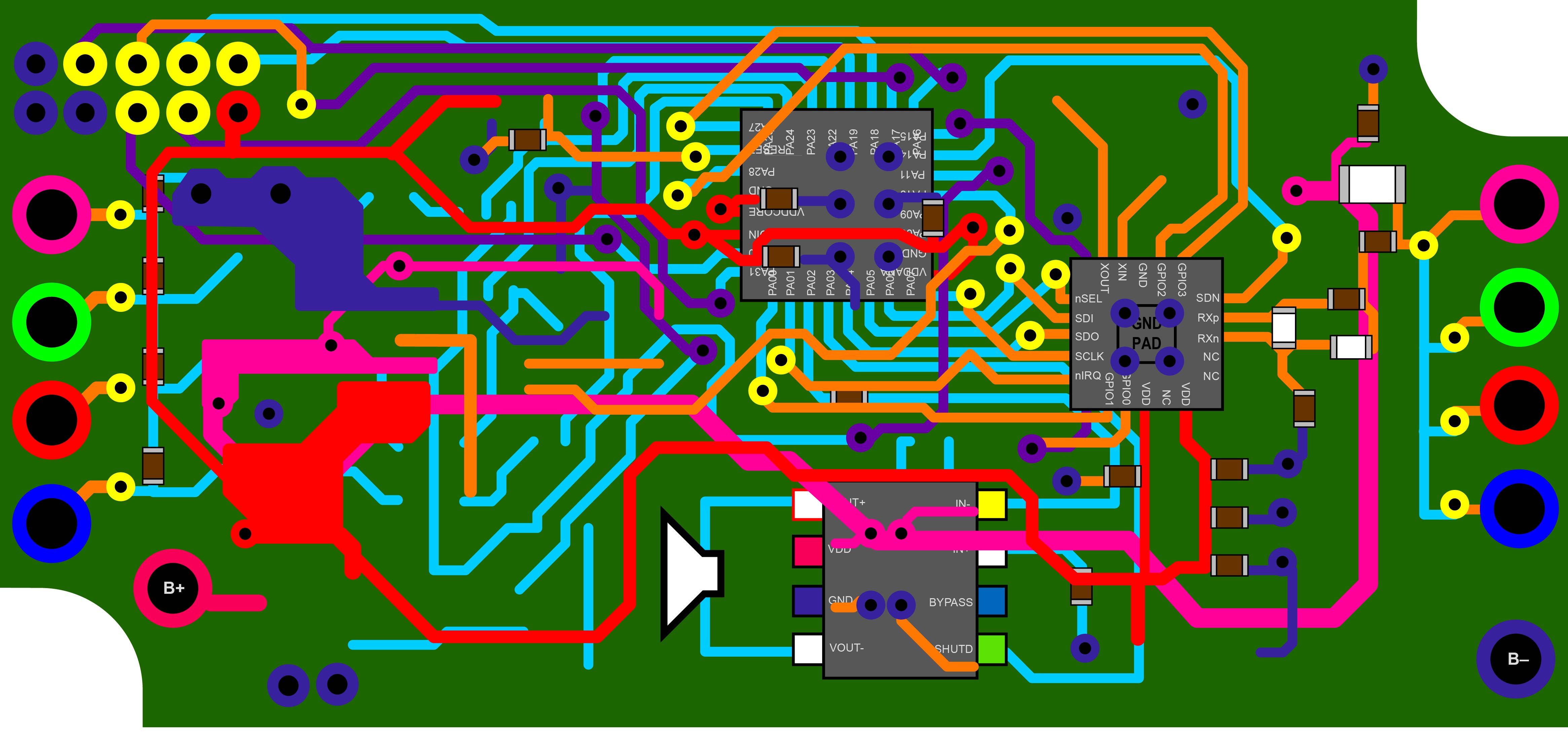
PCB Reverse Engineering
Now we are going to analyze the board and extract the tracks printed on it to obtain the full circuit schematic.
Front Tracks
Back Tracks
Internal Tracks
All Tracks Superimposed
Conclusion
The main controller of the Xyloband is an Atmel SAM D20, which outputs the audio and controls the lights of the wristband. The audio output is amplified by the Analog Devices SSM2211 low-distortion power amplifier and the LEDs are managed by three transistors. Finally, all the data is received and decoded by the Silicon Labs Si4362 receiver and sent through the I2C bus to the main processor.